
How to use Shopify Automated Emails?

Updated: Feb 26
If you run a Shopify store, you know how crucial it is to keep your customers engaged. But sending emails manually? That kind of manual work quickly becomes a time sink. That’s where Shopify email automation comes in—your new best friend. Think of it as a reliable assistant working quietly in the background, sending the right message at exactly the right moment, without ever missing a beat. In the next section, I’ll show you how to make the most of this powerful tool to drive more sales and keep your customers genuinely happy.
Why Shopify Email Automation Is a Game-Changer
Here’s how it usually plays out: a customer places an order, and the confirmation email goes out immediately—no waiting, no manual effort. It sets the tone right from the start. And that’s just the beginning. Shopify automated emails give you the ability to:
Send welcome emails to new subscribers
Follow up on abandoned carts
Notify customers about shipping updates
Offer personalized product recommendations
This isn’t only about saving time. It’s about delivering a smooth, well-timed experience that actually feels personal. When customers know you’re paying attention, they trust your brand—and they come back. That’s where the real magic of automation happens.
Think of it as setting up a series of dominoes. Once you push the first one, everything else falls perfectly into place without you lifting a finger.

Setting Up Shopify Email Automation: Step-by-Step
Getting started might sound intimidating, but Shopify makes it straightforward. Here’s how you can set up your first automated email campaign:
Choose Your Email Marketing App
Shopify has built-in email tools, but you can also explore apps like Klaviyo, Omnisend, or Notify Rush for more advanced features.
Segment Your Audience
Not all customers are the same. Segment by purchase history, location, or engagement level. This helps you send targeted messages that resonate.
Create Your Email Templates
Design emails that reflect your brand’s personality. Keep them clean, mobile-friendly, and include clear calls to action.
Set Triggers and Timing
Decide what actions will trigger emails. For example, send a welcome email immediately after sign-up or a cart reminder after 2 hours of abandonment.
Test and Optimize
Send test emails to yourself. Check for typos, broken links, and how it looks on different devices. Use analytics to tweak your campaigns for better results.
By following these steps, you’ll have a smooth-running email system that works while you focus on growing your store.
Crafting Emails That Convert
Automation is only as good as the emails you send. Here’s how to make your messages irresistible:
Write catchy subject lines
Think of your subject line as a headline in a newspaper. It needs to grab attention fast. Use curiosity, urgency, or personalization.
Keep it concise and clear
People skim emails. Use short paragraphs, bullet points, and bold key info.
Add value
Offer discounts, tips, or exclusive content. Make your emails worth opening.
Use strong calls to action (CTAs)
Tell your customers exactly what you want them to do next—shop now, check order status, or leave a review.
Include visuals
A well-placed image or GIF can make your email pop and keep readers engaged.
Remember, your emails should feel like a friendly nudge, not a pushy sales pitch.
How Notify Rush Enhances Your Shopify Email Automation
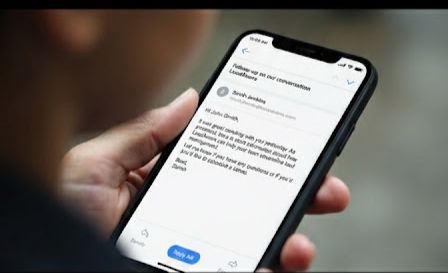
Notify Rush offers easy email automation with A/B testing, without the headache of complex setup. It doesn’t require hours of configuration—just a few clicks, and you’re ready to automate bulk emails to your customers with confidence.

Here’s what Notify Rush brings to the table:
Automated emails with order status/tags/risk level etc.
You can send automated emails to your customers adding triggers like orders status/tags/risk levels, refund status, geographic location of customs etc.
Customizable templates
Match your brand’s voice and style effortlessly.
Easy configuration
No complicated automation setups, just few clicks and you are good to go.
Automation of bulk emails
Automate bulk emails to with customized setup to target specific customer segment.
Using Notify Rush alongside your existing email marketing strategy means you’re not just sending emails—you’re building trust and loyalty.
Tips to Maximize Your Email Automation Success
Ready to supercharge your Shopify email automation? Here are some insider tips:
Personalize beyond the name
Use purchase history or browsing behavior to tailor content.
Test different send times
Find when your audience is most likely to open emails.
Keep your list clean
Remove inactive subscribers to improve deliverability.
Use A/B testing
Experiment with subject lines, images, and CTAs to see what works best.
Monitor your metrics
Open rates, click-through rates, and conversions tell you what’s working and what’s not.
Automation isn’t a set-it-and-forget-it deal. It’s a living system that needs your attention to thrive.
Your Next Step Toward Smarter Customer Communication
If you want to reduce customer complaints and boost satisfaction, mastering Shopify email automation is key. It’s not just about sending emails—it’s about sending the right emails at the right time. With tools like Notify Rush, you can ensure your customers stay informed and happy, turning one-time buyers into loyal fans.
Ready to get started? Dive into Shopify email marketing automation and watch your store’s communication transform from a chore into a powerful growth engine. Your customers—and your bottom line—will thank you.
Comments